
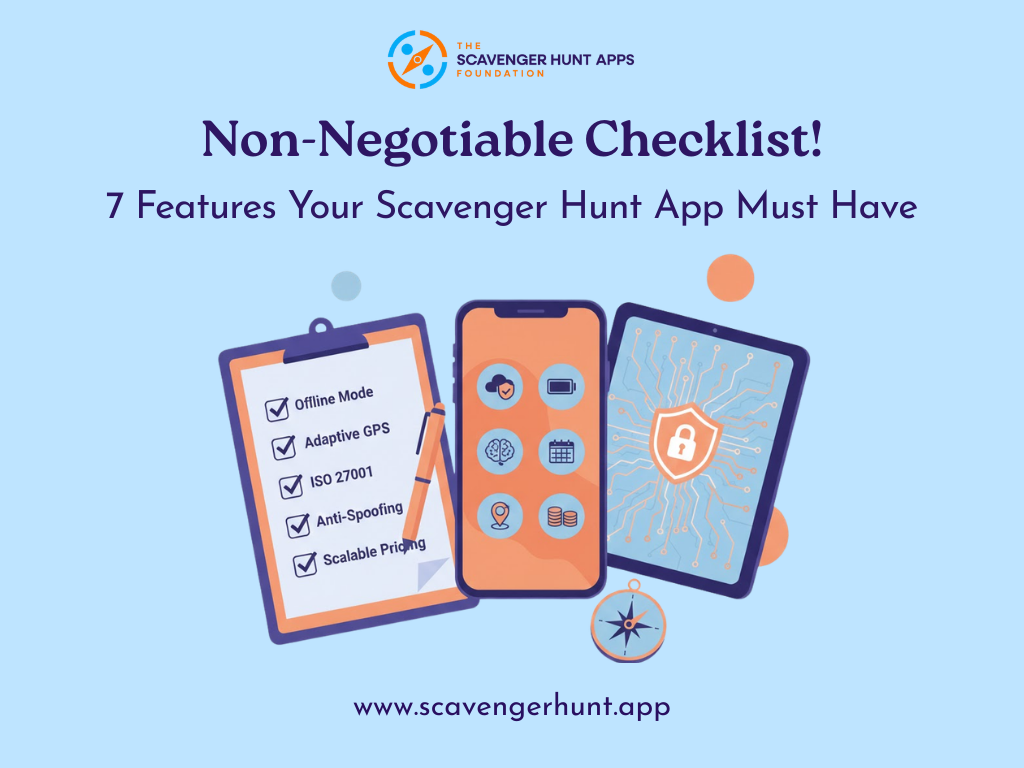

Choosing a scavenger hunt app is not about picking the flashiest interface; it’s about inspecting the engine under the hood. For corporate team-building or large-scale public events, your scavenger hunt app is essentially a risk management tool, the technology that ensures the game runs smoothly even when conditions get tough.
Whether you’re evaluating Actionbound, PlayTours, Scavify, GooseChase, Eventzee, Let’s Roam, Locatify’s TurfHunt, ClueKeeper, Munzee, or any of the many platforms out there, you need to verify that the app can handle the demands of your event in a reliable, enterprise-grade way.
Below is a checklist of seven non-negotiable features to look for before you sign on the dotted line.
Tables of Contents:
1. Offline Mode
2. Adaptive GPS Polling for Battery Conservation
3. ISO 27001-Certified Security
4. AI Image Recognition for Automatic Scoring
5. GPS Anti-Spoofing and Cheater Detection
6. “Event Hours” Support and Weekend SLAs
7. Transparent, Scalable Pricing
1. Offline Mode
Imagine a team reaching a clue in a basement or remote park where there’s no cell service. A basic app might freeze or refuse submissions until connectivity returns, a recipe for frustration and delays. Your scavenger hunt app must work offline seamlessly. This means when a player submits a photo or answer in a dead zone, the app instantly marks the task as “complete” and lets them move on, even if the upload hasn’t reached the server yet.
Another critical offline aspect is maps. The app lets players download an entire city or campus map in seconds and still have crisp detail offline. The bottom line: no connectivity, no problem. A robust platform will gracefully handle offline gameplay so that spotty Wi-Fi or cell coverage never brings your event to a halt.
2. Adaptive GPS Polling for Battery Conservation
Continuous GPS tracking is the fastest way to kill a smartphone battery. If an app is pinging the GPS chip every second to track location, participant phones will be dead in under 2 hours. Look for an app with adaptive GPS polling logic that conserves battery life. Specifically, the app should detect when a player’s device is stationary vs. moving and adjust the GPS update frequency on the fly.
In addition, a well-designed platform will offer a “Low Power Mode” or similar setting. This mode might reduce background animations, use lower-precision location data, or lengthen the interval between GPS pings to save power. For example, some apps switch to using nearby Wi-Fi or cell tower data for coarse location when full GPS accuracy isn’t needed, since those methods use less battery.
3. ISO 27001-Certified Security
For corporate clients and any event dealing with sensitive data, security cannot be an afterthought. If participants are creating accounts, uploading photos, or if you’re collecting employee emails and names, you need rock-solid assurance that this data is handled safely.
ISO 27001 is an internationally recognized framework for Information Security Management Systems, and a vendor that is certified has undergone rigorous third-party audits of their data handling, risk management, and security controls. In other words, an independent auditor has verified that the company follows best practices to keep information secure.
Why insist on ISO 27001? Because it’s easy for any software provider to claim they are “secure,” but an ISO 27001 certificate is proof backed by an external review. It means the platform has defined processes for access control, encryption, incident response, and continuous security improvement.
4. AI Image Recognition for Automatic Scoring
Modern scavenger hunts are about more than multiple-choice questions – they often involve creative tasks like “photograph a red car” or “take a selfie doing X”. Reviewing thousands of submitted photos manually in real-time is impractical (and no fun for the judges). Top-tier scavenger hunt apps now incorporate AI-driven image recognition to automate this process. This means the software uses computer vision models to instantly recognize objects or patterns in a photo submission and validate it against the challenge criteria. For example, if the task is to find a coffee cup, the system can confirm the uploaded image indeed contains a cup, awarding points immediately if it’s a match.
This feature is a game-changer for large events. It eliminates bottlenecks by removing the need for a human moderator to eyeball each photo, and it gives players instant feedback and gratification. Platforms like PlayTours, for instance, offer image recognition missions out of the box – alongside GPS check-ins and quiz challenges – precisely to streamline gameplay.
5. GPS Anti-Spoofing and Cheater Detection
In any competitive scavenger hunt with prizes or pride on the line, there’s a risk that tech-savvy participants try to cheat the location system. With readily available GPS spoofing apps, a player could pretend to be at a location without actually going there, or jump around the map impossibly fast to collect points. Your platform must have built-in defenses against this, or the integrity of the game will be in jeopardy.
Another anti-spoofing measure is mock-location detection on Android devices. Android has a developer setting to allow fake GPS coordinates; a robust scavenger hunt app will detect if that setting is enabled and treat the device as high-risk.
Similarly, the app might check if the phone is jailbroken or running in an emulator, common signals of possible location tampering. Enterprise-grade solutions often implement a “cheater flag” or auto-ban: if suspicious behavior is detected, the app can either warn the player or temporarily lock them out of the competition for review.
6. “Event Hours” Support and Weekend SLAs
Most scavenger hunts don’t happen during the 9–5 workweek – they happen at night, on weekends, or at special event times. So you need a vendor whose support hours cover your event hours. If something goes wrong Saturday at 2 PM, a promise of “we’ll respond within 24 hours (by Monday)” is worthless. Insist on a Service Level Agreement (SLA) that guarantees live support during your event’s timeframe, even if that’s a weekend.
7. Transparent, Scalable Pricing
Finally, don’t overlook the pricing model; it should match your event’s scale without punishing you for success. Many scavenger hunt platforms use a per-user or per-team pricing model, which can quickly inflate your costs for large groups. For example, GooseChase’s standard pricing (for single games) is around $399 for up to 8 players/teams, $649 for up to 20, and it climbs from there.
That means if you planned for 50 people but 60 show up, you could be forced into a higher pricing tier or incur overage charges at the last minute. This model can complicate budgeting and might even discourage you from fully engaging everyone.
A better approach is to seek a flat-fee or site license pricing structure. Some vendors offer a one-time project license that covers unlimited participants for your event, or at least a wide ranges that you won’t easily exceed. This way, you pay a predictable amount regardless of whether 100 or 500 people end up playing. It also usually allows you to include extra devices (like test phones or staff accounts) without nickel-and-diming each one.
Summary
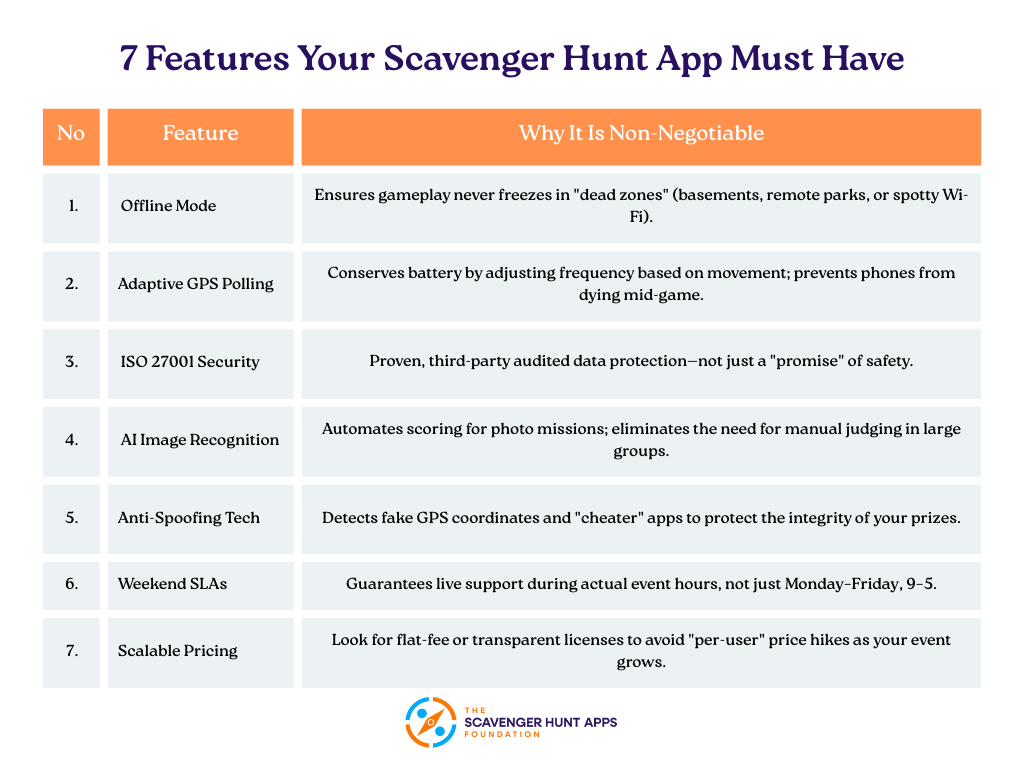
In summary, treating these seven features as checklist items can help you separate the truly robust, enterprise-ready scavenger hunt platforms from the lightweight toys. An app that checks all these boxes – offline resilience, efficient GPS use, certified security, smart automation, anti-cheating measures, real support, and fair pricing – is one that’s built for serious events. Before choosing your scavenger hunt app, run through this checklist and ask vendors to demonstrate or certify each feature. It could mean the difference between a seamless, memorable event and one derailed by avoidable tech failures.


