.png)

Creating a scavenger hunt is fun, but creating one that feels like your event or organization is even better. Whether you’re planning a corporate team-building game, an educational campus hunt, a city tour, or a nonprofit fundraiser, custom branding can make your scavenger hunt more engaging and professional. In this guide, we compare the top 8 scavenger hunt apps based on their branding capabilities. We’ll explore which platforms let you use your own logos, colors, and even white-label the experience.
- PlayTours: Most Flexible Branding & No-App Download Convenience
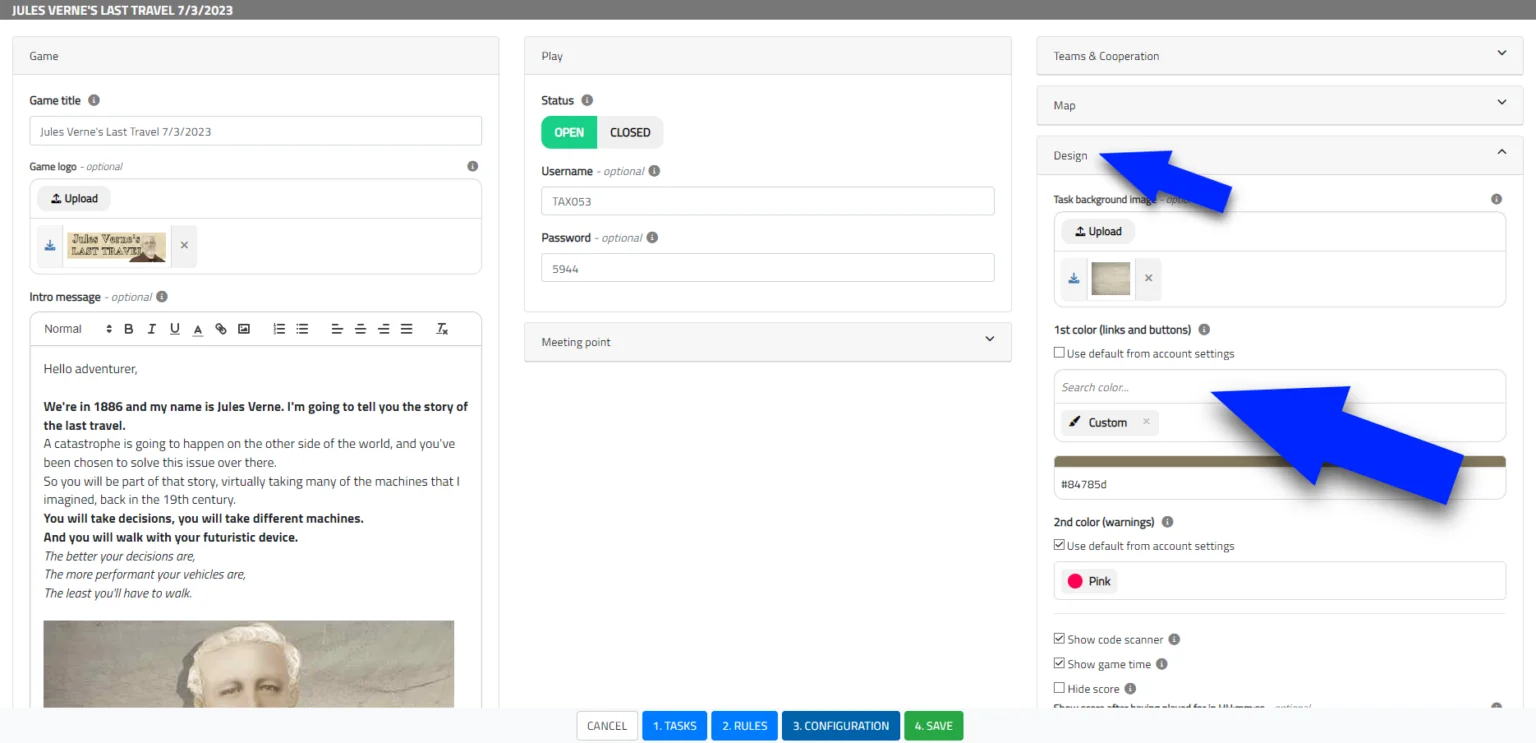
PlayTours is often highlighted as the best overall for branding flexibility, and for good reason. It offers a level of customization unmatched by other apps. With PlayTours, you can make your scavenger hunt look and feel like it was built in-house:
PlayTours runs entirely in the browser. Players join via a simple link; no app store download needed. This link is a brandless short URL (pyts.link) that looks like a generic redirect. That means participants aren’t immediately exposed to any third-party branding, which already gives a white-label vibe.
You can easily upload your company or event logo to the game’s welcome page. From the get-go, players see your brand. PlayTours also lets you customize the background and button colors on the welcome page and throughout the game interface. For example, you could use your exact brand color for the start button and game accents, something not possible in most other platforms.
For big brands, agencies, and corporate events, this white-label branding is a huge advantage. It ensures that your scavenger hunt experience aligns seamlessly with your corporate identity, whether you’re hosting a company-wide team-building event or a large public activation.
Taking it up a notch, PlayTours even allows setting a custom font for your game. If your organization has a signature font, you can apply it so all game text appears in that style. You can also set custom background images for each section or “chapter” of your hunt, either by uploading your own or even selecting from integrated stock libraries. This means each stage of your scavenger hunt can have a visual theme aligned with your story or branding.
For example, a global tech company used PlayTours to create a fully branded scavenger hunt for its annual corporate retreat. Employees joined through a custom link that displayed the company’s logo, brand colors, and signature font throughout the game. Each challenge was themed around company values and milestones, giving participants an engaging experience that felt like an official in-house event rather than a third-party platform.
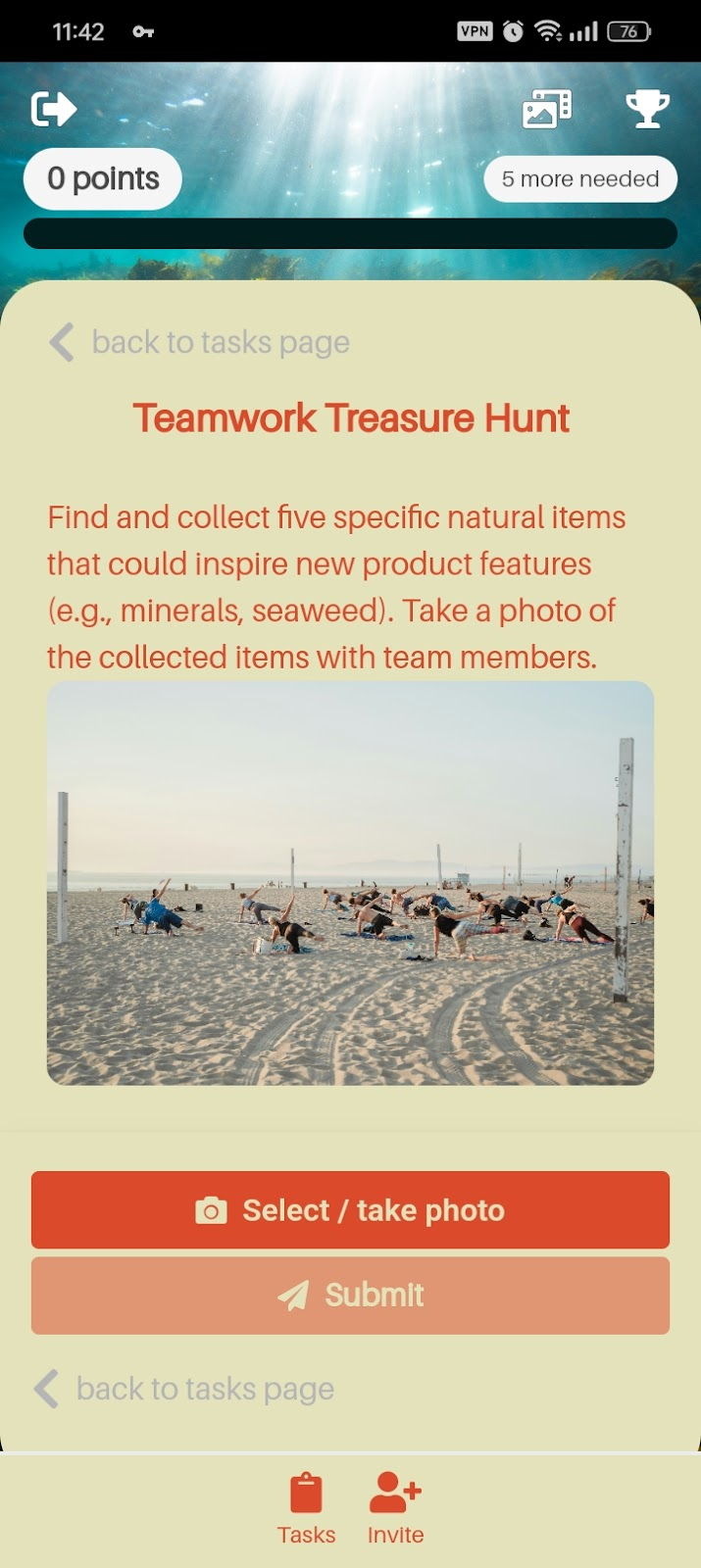
Another neat feature, at the end of a PlayTours game, you can automatically redirect players to your website or a custom page. For instance, after a corporate team hunt, you might send everyone to a landing page on your intranet or a feedback survey. It’s a subtle branding touch that keeps the experience tied to your domain.
- Eventzee: Highly Customizable Events (White-Label Available)
With Eventzee’s standard offering, you can brand the entire event within their app. This means you can use your logo, your company or event colors, custom challenge images, and even a themed leaderboard to make the hunt feel like it’s yours. For instance, you might set a custom header image or logo on the home screen of your event, style the background or color accents to match your brand’s color palette, and label teams or badges with on-brand names.
Eventzee is content-flexible. You can create challenges that incorporate your brand messaging, like trivia questions about your organization, QR codes that scan a branded poster, or photo tasks at branded locations. The platform encourages making the event “100% custom” through use of these elements. They even mention incorporating social media and leaderboards with your branding which can enhance engagement (players see a leaderboard that might carry your brand colors or logo).
For organizations that want to go a step further, Eventzee offers a White Label program. This is essentially Eventzee making a dedicated app under your name powered by their technology. Eventzee’s white-label clients get all the benefits of the platform (challenge types, admin dashboard) but with their own branded container. This is a premium service (typically involving setup fees or higher-tier contracts), but it’s ideal for year-round use or large-scale recurring events.
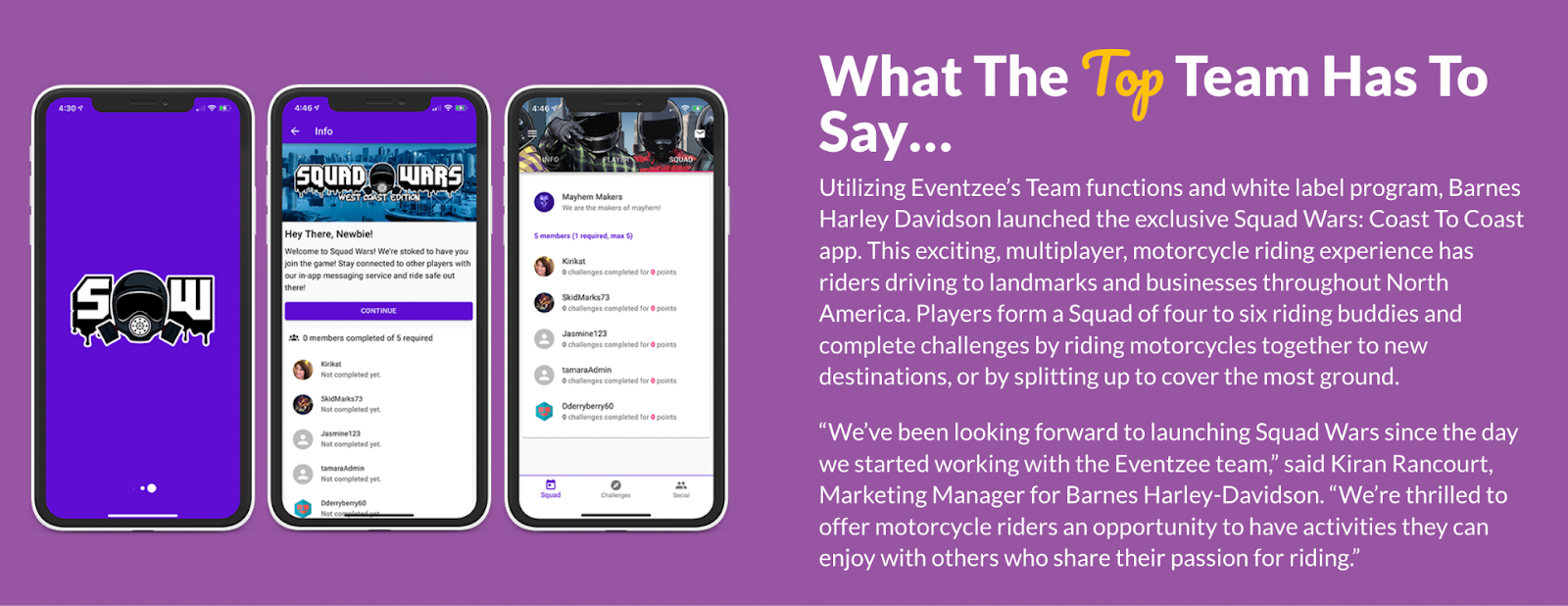
Even if you don’t opt for a white-label app, Eventzee’s normal app with your event configured can be very on-brand for participants. The app will still be named Eventzee on their phone, but once inside, it can be tailored.
Keep in mind, Eventzee is a paid solution (no free tier for casual use), and certain branding capabilities might be tied to specific packages. But if you need a truly branded scavenger hunt experience, Eventzee should be on your shortlist.
- Locatify (TurfHunt): White-Label App for Tours & Team Building
Locatify has a flagship shared app called TurfHunt (for treasure hunts) and SmartGuide (for tours). You can create and publish your scavenger hunt to the TurfHunt app for players to join. In this mode, you’re using Locatify’s app, which means the app is branded as “Locatify TurfHunt” and players select your game from within it. You can certainly name your game and have custom content, but the container is not branded to you.
However, Locatify offers a premium option: for a monthly subscription, they will deliver your own branded app, essentially a copy of the treasure hunt app under your branding. This is pretty unique; it means if you’re, say, a museum or a tourism company, you can have an app in the App Store/Google Play called “YourCity Hunt” or “Museum Quest” that is powered by Locatify. If you go the branded app route, you get to control the app name, logo, and possibly the design scheme (they work with you to incorporate your colors/icons). It’s truly your app, just built on their engine. They handle the technical maintenance behind the scenes. This kind of white-label ensures full domain control, users won’t see Locatify’s name, only your brand.
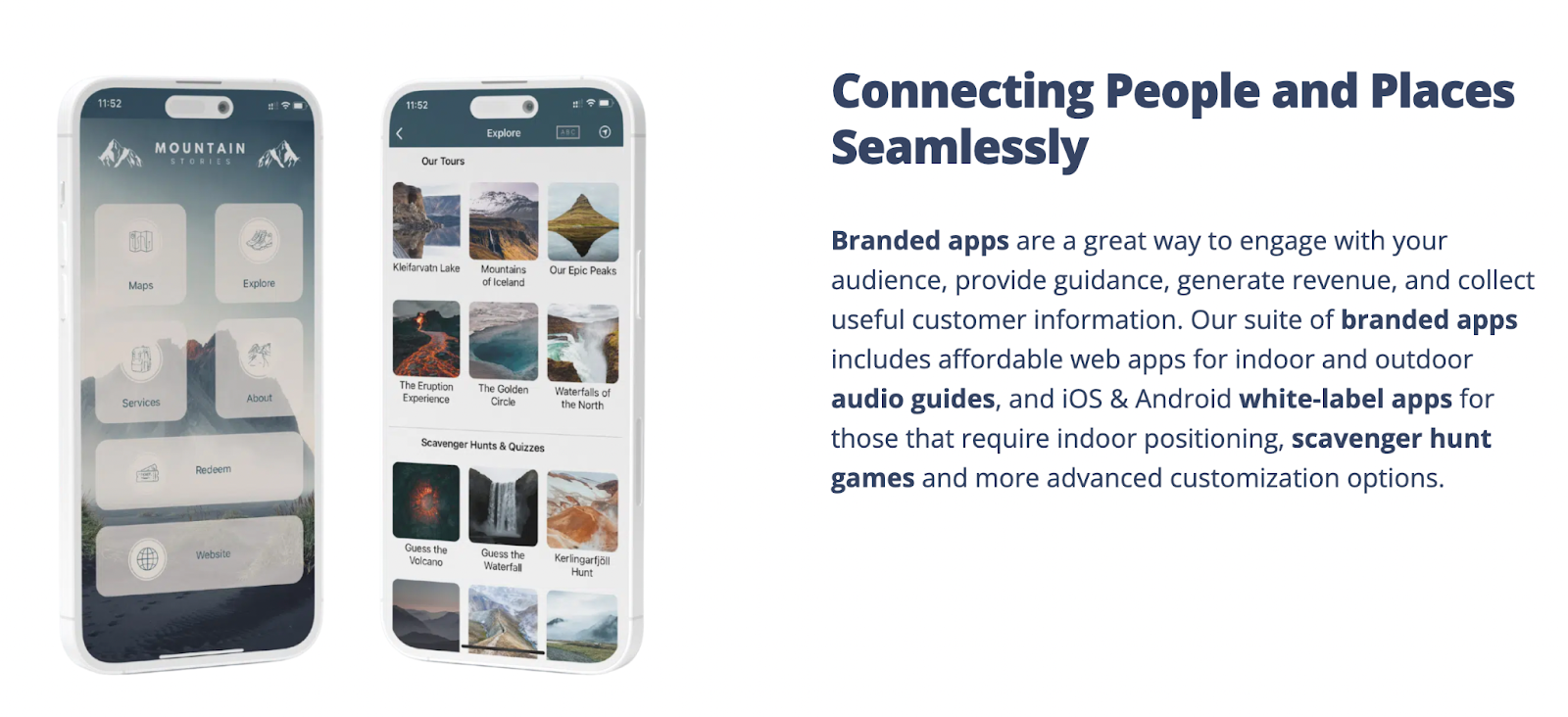
Even if you don’t opt for a full app, within the hunts you create you can use plenty of branding. Locatify supports adding custom map pins/icons (you could use your logo as a map icon), custom images for locations or tasks, and narrative elements to theme the experience. It’s particularly strong for tourism hunts, e.g., you can create a map-based game where each point of interest has an image and description; naturally, you’d use images with your branding or city branding.
Locatify is best for tourism, museums, and professional team-building providers who want a semi-permanent solution. If you are a teacher or a single event organizer, Locatify is probably overkill (and not free), but for organizations saying “we want our own app for hunts,” this is one of the few options.
- Scavify: Enterprise-Ready with Branded Content (Logos & Banners)
Scavify’s builder lets you upload your own graphics and logos to customize the look of your hunt. For example, you can set a custom icon or image for each task, use a branded image for the hunt’s main screen, and generally incorporate visuals that align with your theme. Organizers are encouraged to add logos to make the experience feel professional.
You can also select background images; say you have a particular banner or wallpaper you want behind your task list or on certain pages, Scavify allows adding those. This can carry your colors or event graphics into the app’s feel.
A unique feature: Scavify lets you place two clickable banner images within the hunt interface that can link out to any URL. This is great for corporate or sponsored events. For instance, you could have a banner that, when tapped, takes players to your company’s website or a sponsor’s page. It’s a way to integrate branding and marketing directly inside the game.
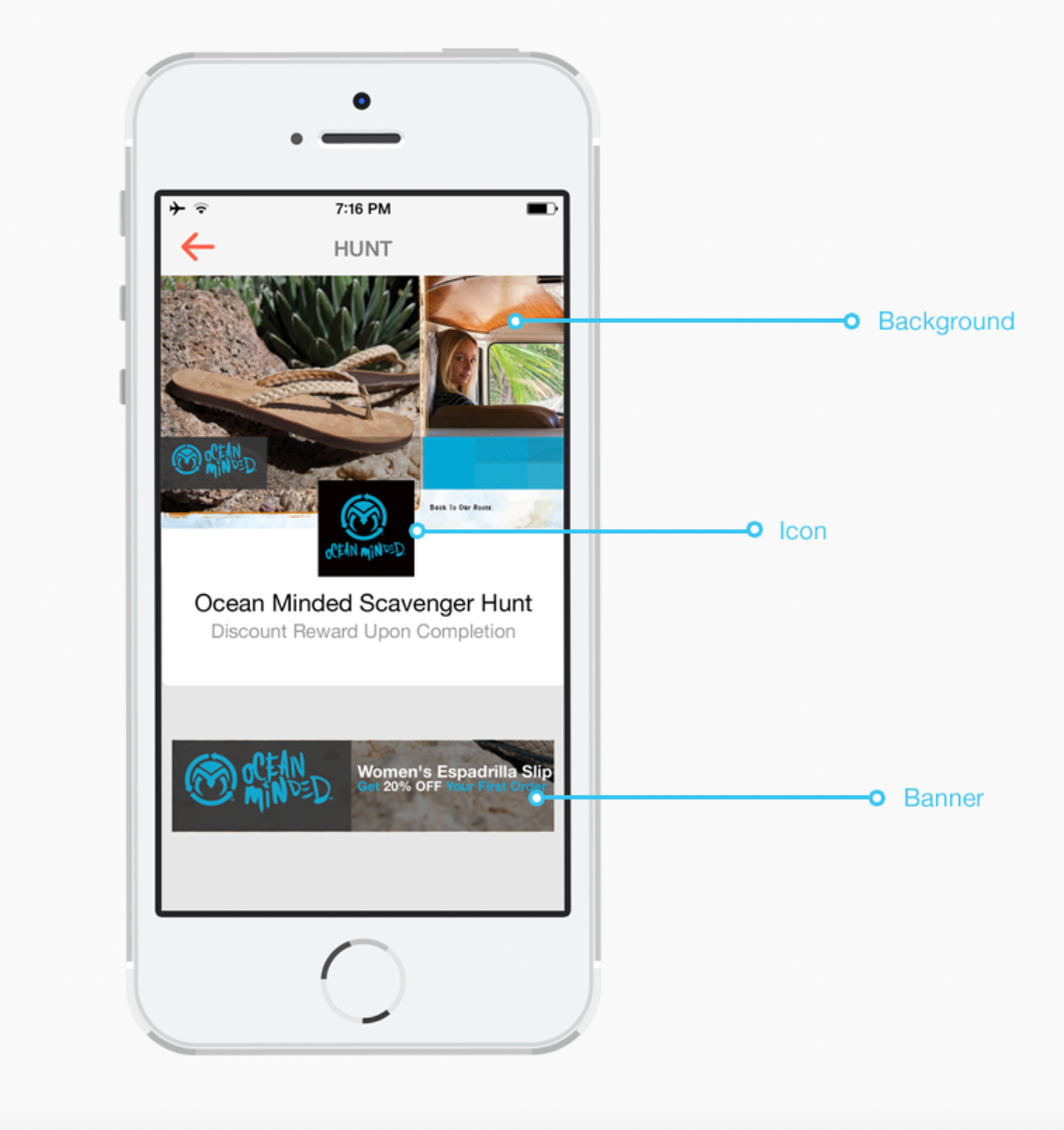
The core app UI (menus, buttons) still follows Scavify’s design. You can’t change the app’s entire color theme to match your brand. So, while your content will be wrapped in your images, some Scavify blue/gray elements might still show. The overall impression, however, can be heavily influenced by your added media, many users will mainly be looking at the photos/logos you uploaded for tasks and backgrounds.
You do need a paid package to access these branding features (adding logos is available on professional plans), so Scavify is typically a choice for those with a budget aiming for a polished, sponsor-friendly experience. It may not have the total visual overhaul of PlayTours or a white-label app, but Scavify gives you enough branding control to make your scavenger hunt look legit and on-message, which is why it’s popular for enterprise use.
- Actionbound: Interactive and Educational, but Simple Branding
In the standard Actionbound environment, you cannot change interface colors, add logos to the UI, or alter fonts. The app interface that players see is fairly generic and utilitarian. It gets the job done, but it’s not tailored to your brand’s look.
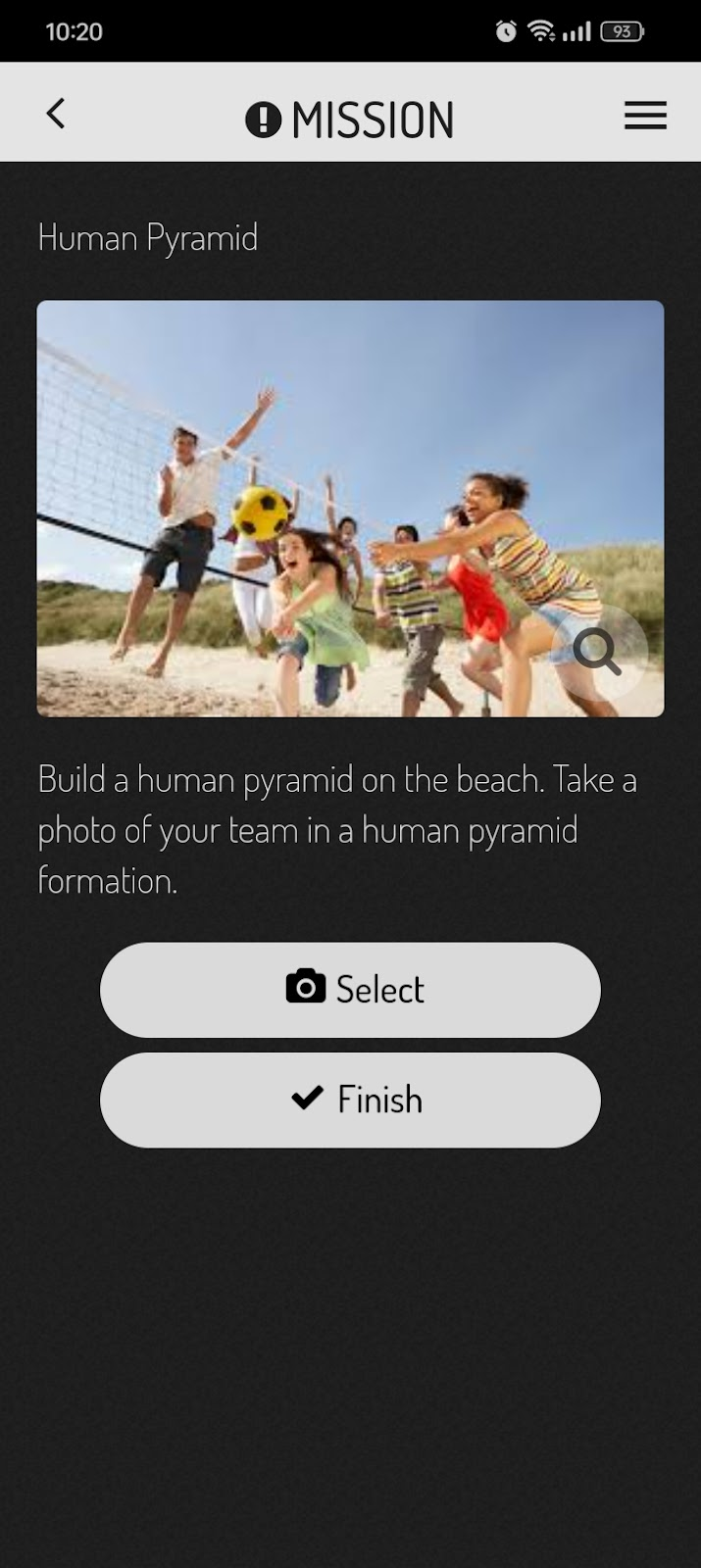
The main way to incorporate branding is by using images in your content. For example, you can upload images or photos as part of tasks or as the cover image for your “Bound” (what Actionbound calls each game). So, you might include your logo in an image that you use in a task description, or use a branded graphic for the mission introduction. However, these are within the content, not the app’s chrome/UI.
Actionbound does offer an add-on called Bound Styler for advanced users or enterprise clients. Bound Styler is a premium feature that allows some customization; you can add a logo, change background colors, and adjust font styles in your Bounds. This essentially skins the Bound within the Actionbound app. It’s not a full white-label (the app is still Actionbound), but it makes the game interface closer to your design. Bound Styler is not included in the basic plans; it’s typically part of professional or educational licenses. For many casual users, this might not be accessible, but it’s worth noting if you have the budget.
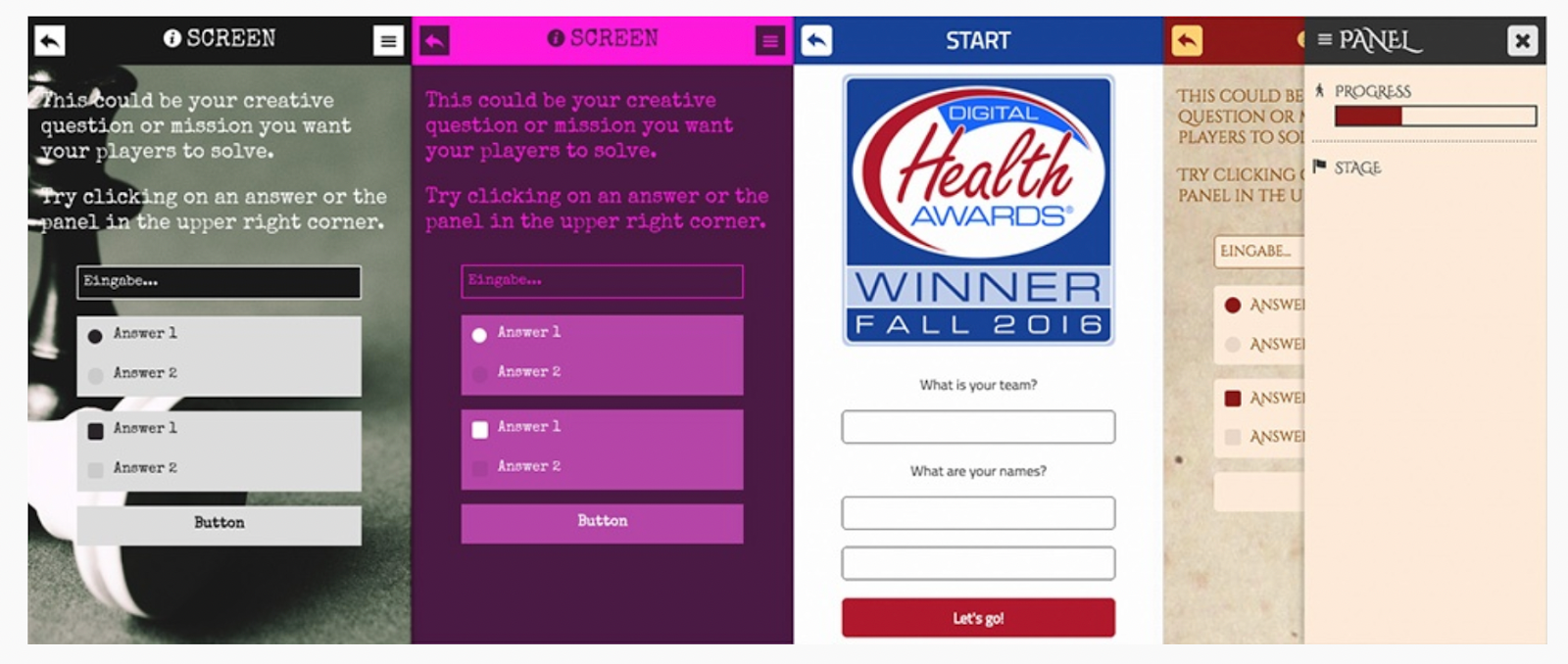
Participants use the Actionbound app (download required) and will see Actionbound branding here and there (like the app icon, loading screens, etc.). With Bound Styler, at least once they enter your game, they’ll see your custom splash and colors, but without it, the experience is quite generic.
- GooseChase: Popular and Polished, But Branding is Limited
GooseChase is one of the most well-known scavenger hunt apps, frequently used in schools and corporate team events for its fun missions and easy interface. However, when it comes to custom branding, GooseChase’s options are quite limited:
The main branding opportunity in GooseChase is uploading a splash screen image; typically your logo or an event graphic that displays when players join the game. Unfortunately, this is fleeting; the image shows for about 5 seconds when a participant first launches the game and then disappears. It’s better than nothing, but unlike PlayTours where a logo can persist on the interface, here it’s just an intro flash.
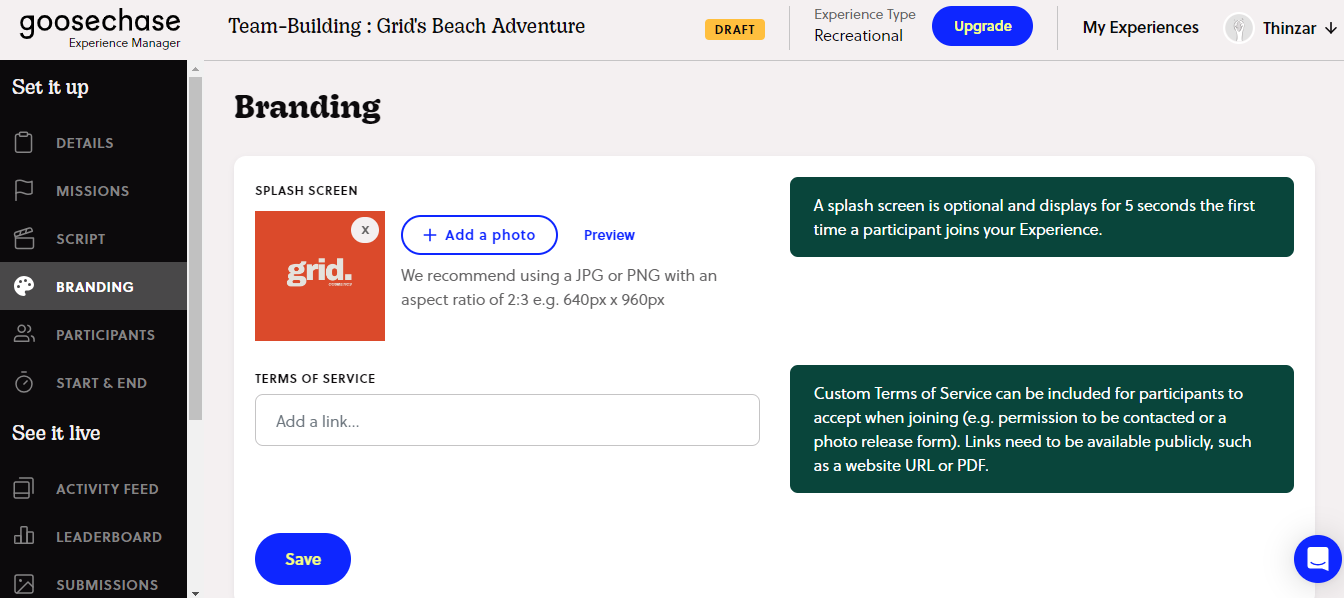
You cannot change the GooseChase app’s interface colors or font to match your brand. The app has its own blue/orange themed design that will frame your game. Your game name and descriptions will appear, but in the standard GooseChase styling.
You do have full control over your missions, you can write custom challenges, include your company or school name in text, and upload images/videos as part of missions. Many organizers creatively include branding within the content (for example, a photo mission “snap a team selfie with our company logo in the background” or using a brand mascot in a challenge). But again, the app UI around that content remains GooseChase’s.
Players must download the GooseChase app, which has GooseChase logos and wording in menus. There is no way to hide the fact that you’re using GooseChase platform, a minor concern for some, but worth noting if you wanted a covert white-label game.
- Loquiz: Powerful Game Logic, Basic Branding Controls
Loquiz allows you to add your own logo into the app interface in place of the Loquiz logo in certain areas. Specifically, you can set an account-wide logo that will appear on the game’s login screen, menu, and as a small icon. You can even change colours or set a specific logo per game (overriding the account logo) for different events. This is a nice feature; it means when players open the Loquiz app and play your game, they might see your logo on the top bar instead of the Loquiz logo.
As always, you can make your content your own. Loquiz lets you add pictures to tasks and detailed descriptions, so you should incorporate any visuals or text that reflect your brand or theme in those. For example, if you’re doing a company team game, you can have missions that use photos of your products or terminology that employees know. The mapping interface in Loquiz is a highlight (great for outdoor hunts), and you can choose what points of interest are called and described, which indirectly is a form of branding (tailoring the experience language to your scenario).
Loquiz shines in advanced team building games and custom scenarios. If you’re a business that needs a very specific game flow and are okay with a moderate amount of branding (logo yes, full theme no), Loquiz is a contender. It’s also used in tourism and training exercises.
- Let’s Roam: Fun Out-of-the-Box Hunts with Some Customization
Rather than giving you extensive tools to change the app’s look, Let’s Roam’s model for corporate or group events is to have their team craft a custom hunt for you with your desired customizations. According to their FAQ, they have “several levels of customization” and can adjust things like start/end locations, the challenges, roles, a theme, and even “in-app branding.”. In practice, “in-app branding” likely means they can insert your logo or a welcome message for your event within the hunt, and perhaps include your organization’s name and custom graphics in the challenges.
The Let’s Roam app’s interface (colors, layout) is standardized for all users. If you opt for a Let’s Roam team-building scavenger hunt, they might include challenges that use your branding (like a company trivia question, or requiring a team photo in front of your office logo). They can also often include a custom logo on the landing page of the hunt or as the hunt’s thumbnail image. This means when your participants open the app and join your specific game, they can see your logo and event name as part of that game’s description.
One thing to note is that Let’s Roam typically handles these custom events as a service; you fill out a form or contact their team, and they set up the event for you (with a cost based on number of players). They’ll ensure your custom requests are implemented. It’s less DIY than others; you don’t get a dashboard to tweak theme settings yourself, but you have the ability to request certain branding elements in the planning.
There’s no white-label app offering from Let’s Roam. If branding is super critical (and you don’t want players to see “Let’s Roam” at all), this might not be the platform for you. But many find that the fun factor and convenience outweigh that concern.
Conclusion
Choosing the right scavenger hunt app comes down to balancing your branding needs, budget, and desired features. If you want an immersive, branded experience without breaking the bank, PlayTours is a top pick for its flexibility and ease. If you have a larger budget and specific goals (like launching your own app), platforms like Eventzee, Locatify, or Scavify might serve you well with their enterprise solutions. And for those prioritizing content and fun over visuals, classics like GooseChase or Actionbound will do the job with a simpler look. By understanding each platform’s custom branding capabilities, you can confidently select the scavenger hunt app that makes your event shine in your own style. Happy hunting!
FAQ
Q: Can I white-label PlayTours (make it completely my own)?
A: PlayTours is designed so that you don’t really need a separate white-label app. The game link is intentionally neutral and there’s no PlayTours logo shown to players during the game. You can add your own logo, colors, and even font, making the experience feel custom-built.
Q: Do I need to download an app to play these scavenger hunts?
A: It depends on the platform: PlayTours is entirely web-based, so participants just click a link or scan a QR code and play in their mobile browser. Most other top platforms do require an app download. GooseChase, Actionbound, Loquiz, Scavify, Eventzee, Let’s Roam, all have native apps on iOS/Android that players install from the app stores.
Q: Can I customize the challenges and game flow to fit my event theme?
A: You can mix different task types like photo uploads, quizzes, GPS check-ins, or QR scans and arrange them in any order. For example, with PlayTours, you can even rename sections, add storyline elements, or include your own media to make the experience more engaging and on-brand.


